How to Create a Simple Event Budget
A simple budget worksheet for separating fixed costs, per-guest costs, host time, fees, and buffers before publishing.
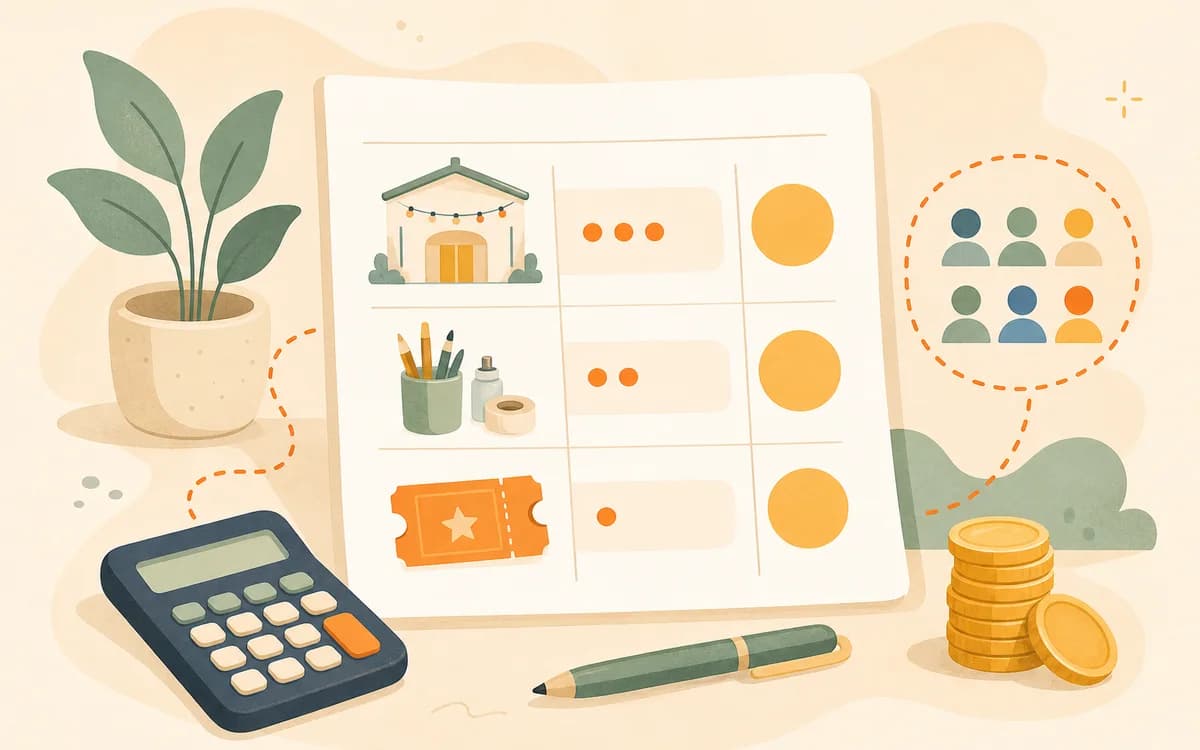
Create a simple event budget by separating fixed costs, per-guest costs, host time, payment fees, and a practical buffer before you set price or publish the event page. A budget is not only for large conferences. For a small workshop, class, dinner, walk, tasting, or community meetup, it protects the host from accidentally subsidizing every seat.
A good budget also protects the guest experience. It helps you choose a realistic capacity, decide what the ticket should include, avoid overpromising, and explain the value of the event with more confidence. You do not need a complex spreadsheet to begin. You need a one-page view of what the event costs to run responsibly.
Key Takeaways
- Budget before you choose ticket price, capacity, materials, or promotion deadlines.
- Separate fixed costs from per-guest costs so low attendance risk is visible.
- Use low, expected, and full-seat scenarios instead of assuming every seat will sell.
- Include host time, platform or payment fees, safety needs, and a modest buffer.
- Let the budget shape the public event page so guests understand what the ticket includes.
Budget Before Price, Capacity, or Materials
The budget's first job is to answer a practical question: can this event be run well at the size, price, and promise you are considering? If the answer is no, you can still adjust the format before guests are involved. You might change the capacity, simplify materials, find a lower-risk venue, raise the price, or make the first version free with lighter inclusions.
The U.S. Small Business Administration's guidance on calculating startup costs is useful because it separates the money needed before launch from the money needed to keep operating. Small events need the same habit. Some costs happen before anyone buys. Some rise with each guest. Some are not cash costs, but still consume time, energy, or future capacity.
Fixed costs are the risk you carry before anyone buys
Fixed costs are the expenses you owe whether 3 people or 13 people attend. A room fee, insurance requirement, assistant fee, equipment rental, base decor, or minimum food order may not change much with attendance. These costs are where small events become risky. If you price from the feeling that each guest only costs a few dollars in materials, you may miss the room, setup, and planning cost that the first ticket needs to help cover. Start by listing fixed costs honestly, then decide how many paid seats should reasonably carry them.
Per-guest costs decide the discount floor
Per-guest costs are the expenses added by each additional attendee: ingredients, craft supplies, printed cards, packaging, drinks, seat rentals, take-home gifts, or payment processing tied to ticket volume. These costs matter because they set the floor under any discount or comped seat. If each guest costs $18 in materials and food, a $20 discounted ticket is not almost free to you. It leaves little room for fixed costs, fees, time, or mistakes. Knowing the per-guest number helps you offer scholarships, early-bird tickets, or friend discounts without quietly damaging the event.
Use a Five-Line Budget
For most small events, a five-line budget is enough for the first pass. The goal is not accounting perfection. The goal is to see the major choices before you publish.
| Budget line | Examples | Planning question |
|---|---|---|
| Fixed costs | Venue, equipment, assistant, software, permits if needed, base decor. | What will I spend even if turnout is low? |
| Per-guest costs | Materials, kits, food, drinks, printed guides, packaging. | What does each additional guest cost? |
| Host time | Planning, shopping, setup, teaching, cleanup, follow-up, support messages. | How much labor does the event require? |
| Fees | Payment processing, ticketing, transfers, platform costs, taxes where applicable. | What costs appear when money moves? |
| Buffer | Breakage, spoilage, extra supplies, longer room time, small changes. | What surprise would hurt if ignored? |
Then compare the total against expected ticket revenue, not the maximum possible revenue. Maximum capacity is a ceiling. Expected attendance is the number you are willing to plan against.
Host time belongs in the worksheet
Many first-time hosts leave their own time out because no invoice arrives. That makes the event look healthier than it is. You can choose to underpay yourself for an early test, but you should still see the choice. Count planning, sourcing, writing, promotion, setup, hosting, cleanup, messages, and follow-up. Even a modest time allocation helps you compare formats. A two-hour workshop may require eight hours of total work. A repeatable template may require less next time. The budget should reveal that difference so you can design a sustainable event series, not only one heroic launch.
Buffer protects repeatability
A buffer is not padding for luxury. It is a small protection against normal event friction: broken supplies, a few extra portions, a late room exit, a missing adapter, replacement name tags, or a last-minute accessibility need. Without a buffer, the first minor surprise can erase the event's margin or force you to lower the experience. For small events, a 10 to 15 percent buffer on relevant costs is often a practical starting point, then you can adjust based on the format. The important habit is to include it before the problem appears.
Run Low, Expected, and Full-Seat Scenarios
A simple event budget becomes more useful when it shows three attendance scenarios. Use low, expected, and full. The low scenario tells you the risk. The expected scenario tells you whether the plan is sensible. The full scenario tells you the upside and whether the room, supplies, and host support can still deliver the promised experience.
Imagine a beginner workshop with $180 fixed costs, $14 per guest in materials, $60 in estimated host time allocation, $25 in basic buffer, and a $55 ticket. Payment fees vary by provider and setup; Stripe publishes current card pricing on its pricing page, and hosts using marketplace or connected account models should also understand the options described in Stripe's Connect charges documentation. For a rough planning pass, include estimated fees before calling the event profitable.
| Scenario | Paid seats | Revenue before fees | What to learn |
|---|---|---|---|
| Low | 6 | $330 | Does the event lose money if attendance is soft? |
| Expected | 10 | $550 | Does the event work at a realistic turnout? |
| Full | 14 | $770 | Can the host still deliver enough support? |
Do not treat this as a universal pricing answer. Treat it as a visibility exercise. If the low scenario is painful, you may need a smaller fixed-cost venue, a deposit policy, a different capacity, a higher price, or a lighter first version.
Tie the Budget to Pricing Strategy
Cost is not the only input into price, but it is the input that keeps you honest. Business.gov.au's page on choosing a pricing strategy notes that pricing decisions should consider costs, market position, value, demand, and legal requirements. For a host, this means you should not price only by copying another local event or guessing what feels friendly.
Use the budget to answer four price questions:
- What is the minimum price that covers per-guest costs and contributes to fixed costs?
- What price makes the expected scenario sustainable?
- What value details need to be visible so the price makes sense?
- What capacity keeps both the experience and the numbers workable?
If the budget and the page disagree, fix the disagreement before publishing. A ticket that includes premium materials, a private venue, and individual feedback should not be described like a casual meetup. A casual meetup should not carry an expensive workshop budget without explaining why.
Add Logistics and Safety Costs Early
Some costs are easy to forget because they do not look like content: signage, cleaning supplies, first aid kit, accessibility support, extra setup time, venue staff, security deposit, storage, transport, or backup supplies. The UK's Health and Safety Executive guidance on running events safely emphasizes planning for site setup, crowd movement, emergencies, and responsibilities. Even if your event is small, the budget should leave room for practical operations.
For a dinner, this might mean food safety supplies, labeled allergens, and extra cleanup time. For a walk, it might mean route planning, weather communication, and a backup meeting point. For a hands-on workshop, it might mean protective coverings, tool safety, and extra materials for mistakes. These details may not be glamorous, but they help the event feel well-run and worth paying for.
Make Fees and Terms Clear on the Event Page
A budget is internal, but fee clarity is external. If mandatory costs appear late in checkout, guests may feel misled. The FTC's unfair or deceptive fees FAQ focuses on legal compliance, but the practical trust lesson is straightforward: do not surprise buyers with unavoidable charges after they have already decided.
Show the ticket price, what it includes, and any required fees as early as your tools allow. If your refund or transfer policy affects the buyer's decision, put it on the page before payment. If you collect dietary, accessibility, or experience-level details, explain why. The FTC's guide on protecting personal information also offers a useful operating principle: know what information you have, keep only what you need, and protect it. For event forms, that means asking for less and using it responsibly.
Turn the Budget Into a Better Event Page
The budget should not stay hidden in a spreadsheet. It should improve the public page without showing every internal number. If materials are a major cost, write a better inclusions list. If host time is the main value, describe the guidance guests receive. If capacity is limited, explain the experience reason. If the deadline is tied to ordering supplies, say so. If the venue is expensive because it is accessible, private, or well-equipped, name the benefit in guest language.
This connection matters because buyers do not see your budget. They see the promise. A clear page helps them understand why the ticket is priced the way it is. Pair this budget with How to Price a Small In-Person Event, How to Increase the Perceived Value of an Event Ticket, and What to Include on an Event Page Before Someone Buys.
Build the Budget-Aware Page in HereNow
HereNow helps you turn budget decisions into a clear event page. Add the title, capacity, ticket type, agenda, inclusions, FAQ, and guest expectations before you share the link. If the budget says a 12-person version works better than a 20-person version, set the capacity accordingly. If the budget depends on a materials cutoff, add that deadline to the page and reminder messages.
A simple budget makes hosting feel less mysterious. It gives you the confidence to price honestly, describe value clearly, and avoid promising an event that only works if every seat sells perfectly.
Create your event page with HereNow
FAQ
How detailed should my first event budget be?
Detailed enough to show fixed costs, per-guest costs, host time, payment or ticketing fees, and a buffer. You do not need a full accounting system for a small first event, but you do need enough detail to know whether the event works at expected attendance, not only at maximum capacity.
Should I include my own time if I am testing the idea?
Yes. You can choose not to pay yourself fully during an early test, but the budget should still show the time required. That helps you understand whether the format is repeatable. A first event that only works because you ignored ten hours of labor may need a simpler setup, higher price, or clearer paid offer later.
What if the budget says the ticket price is too high for my audience?
Change the format before you hide the cost. Reduce fixed costs, lower material complexity, shorten the event, increase capacity only if quality stays strong, find a sponsor, or split the event into free and paid versions. A budget is a design tool, not just a warning sign.
Do I need to show guests my budget?
No. Most guests do not need your internal worksheet. They need the public value made clear: what the ticket includes, why the capacity or deadline exists, what they will do, and what they will leave with. The budget helps you write those details with more accuracy.